Long queues are a common challenge for banks, hospitals, retail stores, restaurants, government offices, and customer service centers. When customers spend too much time waiting, they may become frustrated, employees may struggle to manage demand, and the overall service experience can suffer.
However, long waiting times are not always caused by a shortage of staff. Unorganized queues, uneven customer arrivals, unclear service processes, and limited visibility into counter activity can also contribute to delays.
A Queue Management System (QMS) helps businesses organize customer flow, manage service requests, and improve visibility into waiting times. Depending on its features, the system may use digital tokens, self-service kiosks, virtual queues, digital displays, and real-time monitoring to create a more organized service process.
Instead of asking customers to stand in a physical line without knowing when they will be served, businesses can provide clear instructions, manage service order, and direct customers to the appropriate counter.
But how does a queue management system actually reduce waiting time? Which features make the biggest difference, and how can businesses measure the results?
This guide explains how queue management systems work, the features that help reduce delays, their benefits across industries, and the factors businesses should consider before choosing a solution.
What Is a Queue Management System?
A Queue Management System is a combination of software and, in some cases, hardware that helps businesses organize and manage customer queues.
Traditional queue management usually involves customers standing in line and waiting for their turn. A digital queue management system improves this process by organizing service requests, assigning tokens, directing customers to the correct counters, and helping employees monitor queue activity.
Depending on the solution, customers may join a queue through:
- A self-service token kiosk
- A reception desk
- A QR code
- A website or mobile interface
- A virtual queue or waiting list
For example, a bank may receive customers who need to deposit cheques, update account details, or discuss loan applications. Instead of directing everyone into the same line, the system can help separate requests according to the service required.
This allows customers to follow a clearer process and helps staff understand which service counters are needed.
Some systems also provide information about waiting customers, service progress, counter availability, and estimated waiting times.
The main objective is not simply to replace paper tokens with digital ones. It is to organize customer movement, reduce avoidable delays, and make the service experience easier to manage.
Why Do Customers Experience Long Waiting Times?
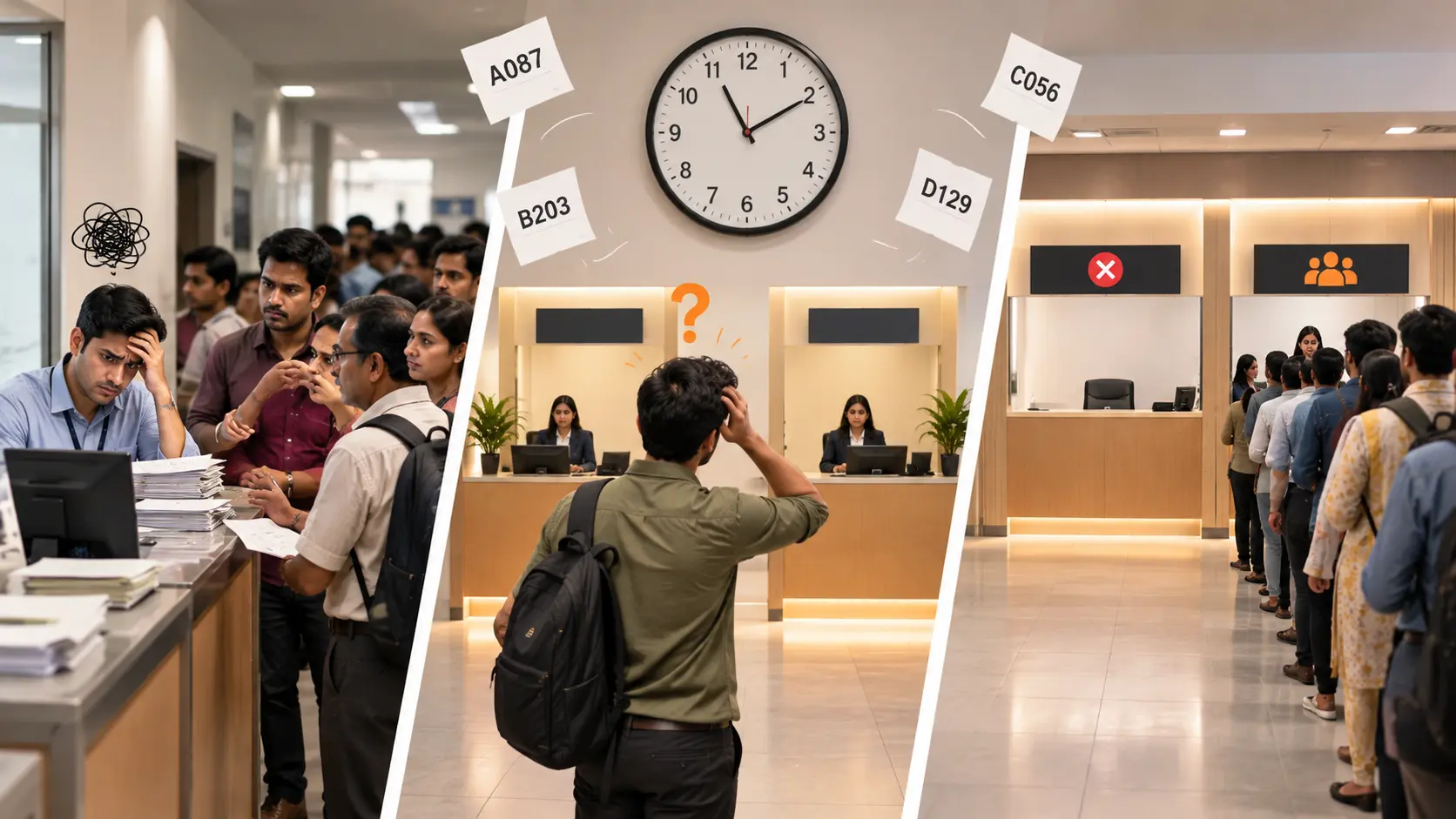
Before choosing a queue management solution, businesses need to understand why their customers are waiting.
Several operational problems can contribute to longer queues.
1. Uneven Customer Arrivals
Customer demand changes throughout the day. Banks may become busier during lunch breaks, hospitals may experience morning rushes, and retail stores may receive more customers during weekends.
When many customers arrive within a short period, the available service counters may struggle to handle the demand.
2. Poor Queue Organization
Customers may not know which counter handles their request or which queue they should join. They might wait in the wrong line, move between departments, or repeatedly ask employees for directions.
These unnecessary steps increase confusion and can delay service.
3. Uneven Workload Distribution
One counter may have a long queue while another employee has available capacity. This can happen when service requests are not distributed effectively or when employees cannot easily see where assistance is needed.
4. Manual Queue Management
Paper registers, handwritten tokens, and verbal announcements require employees to manage several tasks manually.
Reception staff may spend considerable time issuing tokens, answering questions, and directing customers instead of assisting with other responsibilities.
5. Limited Visibility Into Queue Activity
When businesses cannot easily monitor waiting customers and service progress, it becomes harder to identify bottlenecks.
Customers may also become frustrated when they have no information about their position in the queue or how long they might need to wait.
A queue management system can help address these challenges, but the results depend on staffing, service capacity, system configuration, and the way employees use the technology.
How Does a Queue Management System Reduce Waiting Time?
A queue management system reduces avoidable delays by organizing the service process and helping businesses use their available resources more effectively.
The following features explain how this works in practice.
1. Digital Tokens Organize Customer Queues
Digital tokens establish a clear order of service and reduce confusion about whose turn comes next.
When a customer arrives, they receive a unique token through a kiosk, reception desk, mobile interface, or another supported registration method. The token helps the business manage the queue and notify customers when their turn arrives.
Consider a customer service center that receives several visitors at the same time. Without an organized system, customers may gather around the counter, ask who arrived first, or become uncertain about where to wait.
With digital tokens, customers can follow a defined service order and wait in a designated area.
How digital tokens help reduce delays:
- Organize the order in which customers are served.
- Reduce confusion about queue positions.
- Help employees manage customer movement.
- Minimize repeated questions about whose turn comes next.
Digital tokens do not automatically make the service itself faster. Their value lies in making the waiting process more organized and predictable.
2. Smart Queue Routing Directs Customers to the Right Counter
Not every customer requires the same service. A simple transaction may take only a few minutes, while document verification or a detailed consultation may take considerably longer.
Smart queue routing helps businesses direct customers according to their service requirements and the counters available to handle them.
For example, a bank may organize separate service categories for cash transactions, account enquiries, and loan consultations. A hospital may direct patients to registration, billing, or diagnostic services.
When routing rules are configured correctly, customers are less likely to join the wrong queue or move repeatedly between departments.
This also helps supervisors distribute service requests according to counter availability and employee responsibilities.
How smart routing helps:
- Directs customers to the appropriate service area.
- Reduces unnecessary transfers between counters.
- Helps distribute workloads more evenly.
- Supports a smoother customer journey.
The routing process should reflect actual business operations. Incorrect rules or poorly designed service categories can create additional delays instead of reducing them.
3. Real-Time Queue Monitoring Helps Identify Delays
Real-time queue monitoring gives managers a clearer view of what is happening across service counters.
Depending on the system, managers may be able to monitor waiting customers, active counters, completed tokens, and changes in customer demand.
This information helps them identify growing queues before the situation becomes difficult to manage.
For example, if one department is receiving more customers than usual, a supervisor may decide to assign additional qualified staff to that area, where operational rules allow it.
Without queue visibility, managers may only notice a problem after customers begin complaining.
How real-time monitoring helps:
- Identifies counters experiencing growing queues.
- Makes operational bottlenecks easier to recognize.
- Supports timely staffing decisions.
- Helps managers respond to changing customer demand.
Monitoring alone does not reduce waiting time. Businesses need to review the information and take appropriate action when delays occur.
4. Virtual Queues Give Customers More Flexibility
A virtual queue allows customers to join a queue without standing continuously in a physical line.
Depending on the solution, customers may register through a QR code, website, mobile interface, or another supported channel. They can then wait in a designated seating area or another permitted location until their turn approaches.
For example, a customer visiting a busy service center may scan a QR code, receive a digital token, and check queue updates on their phone.
Instead of remaining beside the service counter, the customer can wait more comfortably while keeping track of the queue.
Virtual queues can be particularly useful in crowded reception areas, hospitals, retail stores, and customer service centers.
How virtual queues help:
- Reduce the need to stand in a physical line.
- Help prevent congestion near service counters.
- Allow customers to wait in more comfortable locations.
- Provide updates when supported by the system.
It is important to understand the difference between reducing waiting time and improving the waiting experience. A virtual queue may make waiting more convenient without reducing the total time required to receive service.
5. Digital Displays Keep Customers Informed
Digital queue displays communicate token numbers, counter assignments, and service announcements. Depending on the system, they may also show estimated waiting times or queue status.
When customers know which token is being served and where they need to go, they spend less time asking reception staff for updates.
For example, a hospital registration area may display the current token number alongside the assigned counter. Patients can follow the instructions without repeatedly approaching the reception desk.
Clear communication becomes especially important when multiple counters operate simultaneously or assignments change throughout the day.
How digital displays help:
- Keep customers informed about queue progress.
- Make counter assignments easier to understand.
- Reduce repeated questions at reception.
- Help customers move to the appropriate service point.
Displays should use readable text, clear numbers, and suitable placement. Businesses should also provide alternatives for customers who cannot comfortably read screens or hear announcements.
6. Self-Service Kiosks Simplify Queue Entry
A self-service kiosk allows customers to select a service, register basic details, or generate a token without requiring an employee to complete every step.
This can be useful for routine activities such as selecting a department or identifying the reason for a visit.
For instance, a visitor arriving at a customer service center may select an option on a kiosk and receive a token. Reception employees can then focus on visitors who need additional assistance.
The effectiveness of a kiosk depends on its design and the complexity of the registration process.
How self-service kiosks help:
- Reduce manual token issuance.
- Organize service requests at the point of entry.
- Reduce pressure on reception staff.
- Allow employees to focus on tasks that require personal assistance.
A kiosk should not create another queue. Simple instructions, an accessible interface, and an assisted registration option are important for customers who need help.
7. Better Workload Distribution Helps Staff Serve Customers Efficiently
The number of available employees and the way their work is distributed directly affect queue movement.
However, assigning more staff to every counter is not always practical. Businesses need to understand where their resources are most useful.
Queue management software can help supervisors review queue size, service activity, and counter availability before making staffing decisions.
For example, a service center with four counters may experience a growing queue at two counters while another counter has available capacity. If employees have the appropriate skills and responsibilities, the supervisor may be able to adjust assignments.
How workload distribution helps:
- Identifies imbalances between service counters.
- Supports decisions about staff allocation.
- Helps businesses prepare for busy periods.
- Reduces avoidable idle time where workloads can be shared.
The system provides operational information, but managers must still consider employee skills, service requirements, and business policies when reallocating staff.
8. Service Analytics Help Prevent Recurring Delays
A queue management system may record information such as token creation times, service start times, completion times, and customer volumes.
These records help businesses identify patterns that are difficult to recognize through manual observation alone.
For example, reports may show that waiting times regularly increase during a particular period of the day. Managers can investigate whether the cause is higher customer demand, insufficient staffing, a lengthy verification process, or another operational issue.
Businesses can then use this information to make targeted improvements.
How service analytics help:
- Identify periods with consistently high demand.
- Highlight services associated with longer waits.
- Support staffing and scheduling decisions.
- Help measure the results of process changes.
Historical data should be interpreted carefully. A longer service time does not necessarily indicate poor performance because some customer requests naturally require more attention.
Which Queue Management Features Matter Most?
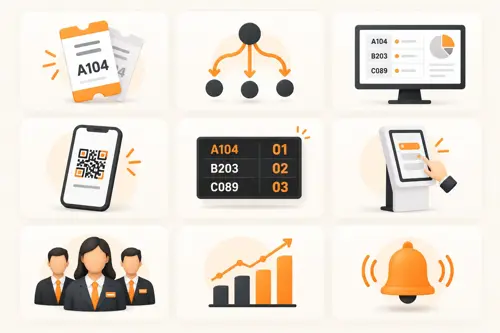
Not every business needs every available feature. The right combination depends on customer volume, service complexity, staffing, and the type of environment.
| Feature | Primary purpose |
|---|---|
| Digital tokens | Organize the order of service |
| Smart queue routing | Direct customers to appropriate counters |
| Real-time monitoring | Identify growing queues and bottlenecks |
| Virtual queues | Allow customers to wait without standing in line |
| Digital displays | Communicate token and counter information |
| Self-service kiosks | Simplify registration and token generation |
| Staff workload monitoring | Support resource allocation decisions |
| Service analytics | Identify recurring delays |
| Notifications | Update customers when their turn approaches |
A small service center may benefit most from digital tokens and a clear display. A large hospital or multi-department facility may need more advanced routing, virtual queues, monitoring, and analytics.
Businesses should prioritize features that solve specific operational problems rather than choosing a system simply because it offers more functions.
Queue Management System vs. Traditional Queue Management
Traditional queues can work well in small businesses with low customer volumes and straightforward service processes. However, manual management becomes more difficult when several service categories and counters operate at the same time.
A digital queue management system introduces tools for organizing and monitoring the process.
| Area | Traditional queue | Digital queue management |
|---|---|---|
| Queue order | Managed manually | Managed through tokens or configured rules |
| Customer updates | Usually verbal | Can use displays and digital notifications |
| Queue visibility | Often limited | May provide live queue information |
| Service routing | Depends largely on staff direction | Can support rule-based routing |
| Performance tracking | Requires manual records | May provide digital reports |
| Waiting options | Usually involves a physical line | May support virtual waiting |
| Operational decisions | Based on observation and manual records | Can use queue data and analytics |
A digital system is not automatically better in every situation. Traditional queues may remain suitable for simple, low-volume environments.
The main advantage of digital queue management is the ability to organize more complex service processes and provide information that helps businesses respond to delays.
Benefits of Queue Management Systems Across Industries
Queue management systems support different industries, although the most useful features vary according to the services being provided.
Healthcare and Hospitals
Hospitals handle multiple patient interactions, including registration, consultations, diagnostics, billing, and pharmacy services.
A queue management system can help organize these service points, direct patients to the appropriate departments, and provide clearer information about queue progress. Queue monitoring can also help staff identify growing demand in particular areas.
Healthcare environments require special attention to patient privacy, accessibility, and clinical priorities. Emergency patients must be handled according to appropriate clinical procedures rather than ordinary queue rules.
Banks and Financial Institutions
Banks manage a variety of services, including cash transactions, account enquiries, document verification, and financial consultations.
Service-based routing helps customers select the appropriate queue from the beginning. Digital tokens and queue displays also make it easier to understand which counter will handle a request.
Managers can use queue reports to identify busy periods and review staffing requirements.
Retail Stores and Shopping Centers
Retail businesses may experience queues at billing counters, customer support desks, returns departments, and product collection points.
A queue management system can help organize customer flow and reduce congestion around busy service areas.
When customers receive clear instructions about where to wait and which counter to approach, employees can manage the process more efficiently.
Government Offices and Public Service Centers
Government offices often handle applications, document submissions, registrations, and verification requests.
Digital tokens can help organize service order, while counter displays provide clear directions for customers.
Queue monitoring may also help administrators identify departments that regularly experience delays and review how services are allocated.
Restaurants and Food Service Businesses
Restaurants can use queue management tools to organize walk-in customers, manage waiting lists, and communicate table availability.
Depending on the system, customers may receive a notification when a table becomes available instead of waiting near the entrance.
This can help restaurants manage crowded entry areas and provide a more organized waiting experience during busy periods.
Corporate Offices and Customer Service Centers
Corporate offices, utility providers, and customer support centers often receive visitors with different service requirements.
A queue management system can organize requests, direct visitors to the correct department, and help supervisors monitor workload across counters.
This is especially useful when several departments handle different types of requests at the same location.
Across these industries, the central principle remains the same: organize customer demand, improve communication, and use available resources effectively.
How to Measure Whether a Queue Management System Reduces Waiting Time
Installing a queue management system is only the first step. Businesses need to measure performance to understand whether the system is improving the customer experience.
The following metrics provide a useful starting point.
1. Average Waiting Time
Average waiting time measures how long customers wait before service begins.
Formula:
Average waiting time = Total waiting time of all customers ÷ Number of customers served
For example, if 20 customers collectively wait for 200 minutes before service begins, their average waiting time is 10 minutes.
Businesses should use consistent start and end points when measuring waiting time so they can compare results fairly.
2. Average Service Time
Average service time measures how long an employee takes to serve a customer after the service begins.
This metric helps businesses distinguish between delays caused by queue organization and delays caused by the actual service process.
A queue management system may improve customer routing without reducing the time needed to complete a complex transaction.
3. Queue Length
Queue length measures the number of customers waiting at a particular time.
Monitoring queue length across different periods helps managers understand when demand exceeds available service capacity.
It is more useful to examine queue patterns throughout the day than to rely on a single observation.
4. Customer Throughput
Customer throughput measures how many customers a service location handles during a defined period.
If waiting time decreases while service quality remains consistent, a business may also be able to serve more customers during busy periods.
However, increasing throughput should never come at the expense of accuracy, safety, or service quality.
5. Customer Satisfaction
Operational data cannot explain every aspect of the waiting experience. Customer feedback helps businesses understand whether the process feels clearer and more convenient.
Useful questions include:
- Was it easy to obtain a token?
- Were the instructions clear?
- Did you know where to wait?
- Were queue updates helpful?
- Was the overall service experience satisfactory?
Combining feedback with operational metrics gives businesses a more complete picture of performance.
6. Queue Abandonment
Queue abandonment occurs when customers leave before receiving service.
Customers may abandon a queue because of long waiting times, unclear instructions, or other difficulties.
Where reliable data is available, monitoring abandoned queues can help businesses identify problems that may not be visible from average waiting times alone.
Comparing Performance Before and After Implementation
Businesses should record baseline performance before implementing a queue management system and compare it with results collected afterward.
For a meaningful comparison, they should consider similar operating periods, customer volumes, service categories, and staffing conditions.
This makes it easier to determine whether improvements are associated with the new process and where further adjustments may be needed.
Practical Steps to Reduce Waiting Time After Implementation
A queue management system works best when the technology and the business's operating procedures support each other.
Businesses can follow these steps to improve results.
- Map the customer journey. Identify how customers arrive, register, wait, receive assistance, and complete their visits.
- Identify the main bottlenecks. Determine whether delays occur during registration, service allocation, document verification, or the actual service process.
- Organize service categories. Group customer requests according to the departments and counters that can handle them.
- Configure suitable queue rules. Define how tokens are issued, how customers are called, and how priority cases are managed.
- Train employees. Ensure staff understand how to use the system, assist customers, and respond when queues become unusually long.
- Communicate clearly. Explain how customers can obtain tokens, check queue status, and reach the correct counter.
- Monitor performance regularly. Review waiting times, queue lengths, service times, and customer feedback.
- Adjust based on results. Update staffing schedules, routing rules, or service processes when the data indicates that changes are necessary.
Businesses should also maintain an alternative process for technical outages and customers who cannot comfortably use digital interfaces.
Common Queue Management Mistakes to Avoid
Even a well-designed queue management system can produce disappointing results if implementation is poorly planned.
Here are some common mistakes to avoid:
- Choosing technology before identifying the problem: Understand the causes of delays before selecting features.
- Making registration too complicated: Excessive steps can create a new queue at the entrance.
- Ignoring employee training: Staff need to understand both the software and the procedures behind it.
- Using unclear displays: Customers should be able to identify token numbers and counter assignments easily.
- Ignoring performance reports: Queue data is useful only when businesses use it to improve decisions.
- Overlooking accessibility: Provide assistance and alternatives for customers who cannot independently use kiosks or digital displays.
- Expecting software to solve every delay: Insufficient staffing, lengthy procedures, and limited service capacity may require operational changes.
Successful implementation combines appropriate technology with clear procedures, trained employees, and regular performance reviews.
How to Choose the Right Queue Management System
Before investing in queue management software, businesses should evaluate how customers interact with their services and where the most significant delays occur.
Start by considering customer volume, the number of service counters, the variety of services offered, and whether customers need to wait in person.
Next, identify the features that address those requirements.
A small service center may need only digital tokens and a display. A larger facility may benefit from virtual queues, service routing, real-time monitoring, and detailed analytics.
Other important considerations include:
- Ease of use: Employees and customers should be able to understand the process without unnecessary training.
- Scalability: The solution should accommodate additional counters, departments, or locations when required.
- Reporting and analytics: Managers should be able to review relevant waiting-time and service-performance metrics.
- Integration: Check whether the system can connect with existing appointment, customer service, or operational platforms where necessary.
- Accessibility: Consider different language, mobility, visual, and digital-literacy requirements.
- Privacy and security: Understand what customer information is collected, how it is stored, and who can access it.
- Reliability and support: Review how the provider handles maintenance, technical problems, and service interruptions.
The best queue management system is not necessarily the one with the most features. It is the one that addresses the business's actual challenges and remains practical for both employees and customers.
Conclusion
Long waiting times often result from several connected problems, including uneven customer arrivals, unclear service processes, limited queue visibility, and inefficient workload distribution.
A Queue Management System gives businesses practical tools to organize customer flow, manage service requests, and monitor queue activity. Digital tokens, smart routing, virtual queues, self-service kiosks, and real-time analytics can each contribute to a more organized service experience.
However, technology alone cannot solve every operational challenge. Businesses also need to review staffing, simplify procedures, train employees, and measure actual performance.
The most effective approach is to identify why customers are waiting, choose features that address those problems, and continuously improve the process using reliable data.
When queue management is built around real customer needs, businesses can reduce avoidable delays, make waiting more predictable, and create a smoother experience for customers and employees alike.