AI workplace productivity means using artificial intelligence and automation to help teams work faster and more accurately and it now touches nearly every department, including reception. If your front desk still runs on a paper visitor log while HR, finance, and support teams use AI daily, your business has a modernization gap worth closing.
Walk through most offices today and you'll see AI working quietly in the background. HR teams use it to screen resumes. Finance teams use it to catch suspicious transactions before they become a problem. Customer support teams lean on it to answer routine questions at any hour.
Operations teams rely on it to forecast demand and plan staffing. Even administrative teams use AI to sort paperwork and automate approvals. Across departments, this shift is often described as AI workplace productivity, and it is reshaping how people get things done at work.
This isn't an accident. Visitor management usually gets treated as a facilities task, not a technology decision, so it rarely makes it onto the same upgrade list as HR software or finance tools. The result is a business that runs on smart systems almost everywhere except the one place every visitor actually experiences first.
This article breaks down what AI workplace productivity really means, why the front desk keeps getting left behind, and why visitor management deserves a seat at the modernization table.
What Is AI Workplace Productivity?
AI workplace productivity refers to the use of artificial intelligence tools and automation to help employees and businesses accomplish tasks faster, with fewer errors, and with less manual effort. It is not a single tool or app. It is a broad shift in how work gets done across departments.
Here's what that looks like in practice:
- HR teams use AI to shortlist resumes and schedule interviews automatically.
- Finance departments use AI to flag unusual activity in expense reports and invoices.
- Marketing teams use AI to analyze campaign performance as it happens.
- Customer support teams use chatbots to resolve routine questions, freeing staff for complex cases.
- Operations teams use predictive tools to plan inventory and staffing.
The common thread: AI absorbs the repetitive, time-consuming work so people can spend their energy on judgment calls, relationships, and problem-solving.
It is worth noting that productivity is not the same as automation alone. True productivity gains come from combining automation with better data, clearer processes, and smarter decision-making. A tool that automates a bad process just makes mistakes faster. This is why workplace automation works best when it is paired with thoughtful planning, not applied blindly to every task.
A Word of Caution: Automation Isn't the Same as Productivity
Automating a task and improving it aren't automatically the same thing. Real productivity gains come from pairing automation with clean data, clear processes, and better decision-making. Automate a broken process, and you've just built a faster way to make the same mistakes.
That distinction matters here, because it explains exactly why reception a process most businesses haven't rethought in years is such a natural place to start.
Why Visitor Management Belongs in Your Modernization Plan
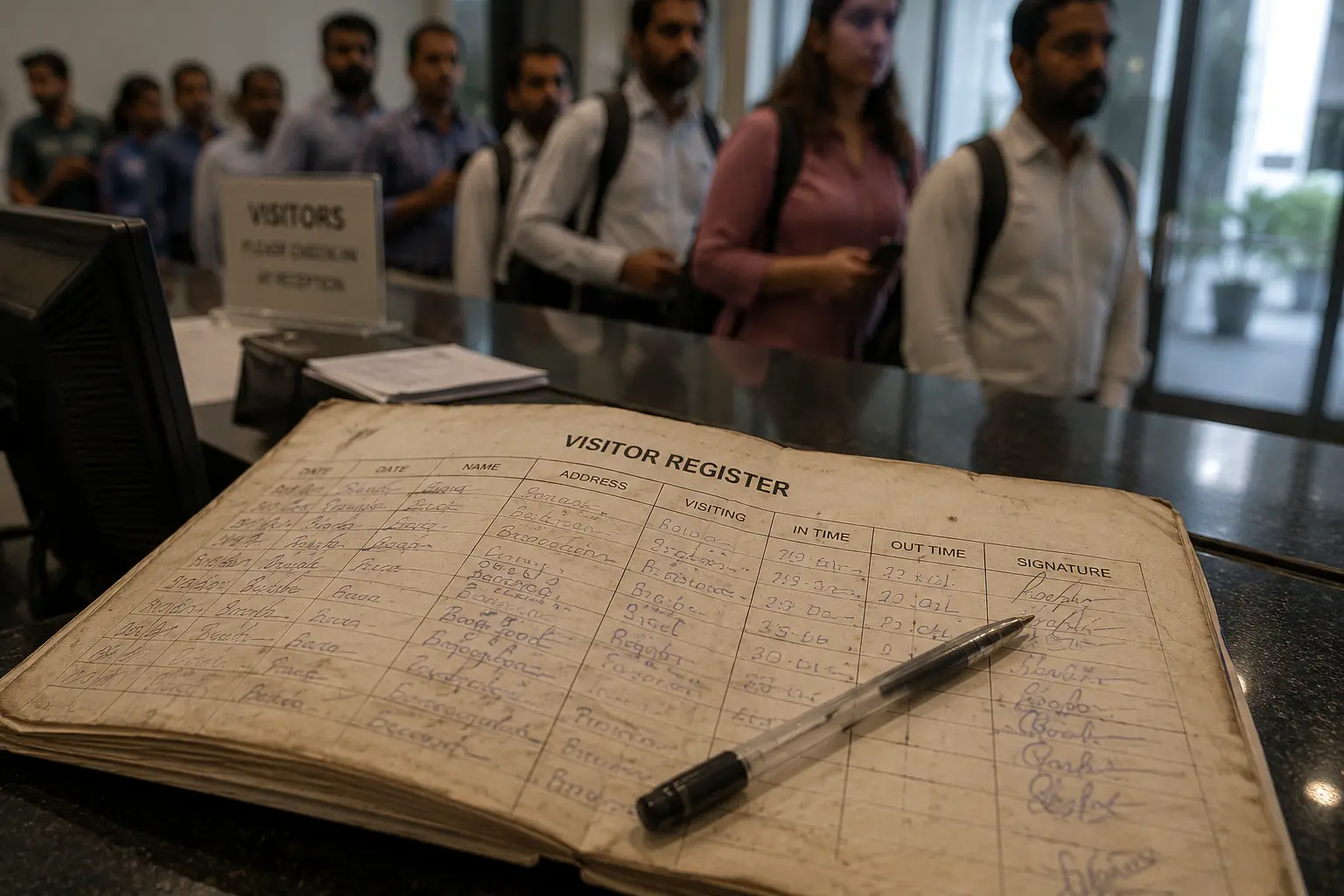
Reception is usually the first point of contact for anyone who walks through your door a client, a vendor, a job candidate, a contractor. And yet it's often the last part of the business to get any kind of technology upgrade.
The Real Cost of a Manual Front Desk
Manual reception challenges
A front desk that depends entirely on a person being present, alert, and available has a built-in weak point. If your receptionist steps away, takes a call, or is mid-conversation, visitors are left waiting or worse, unsupervised.
Paper visitor logs
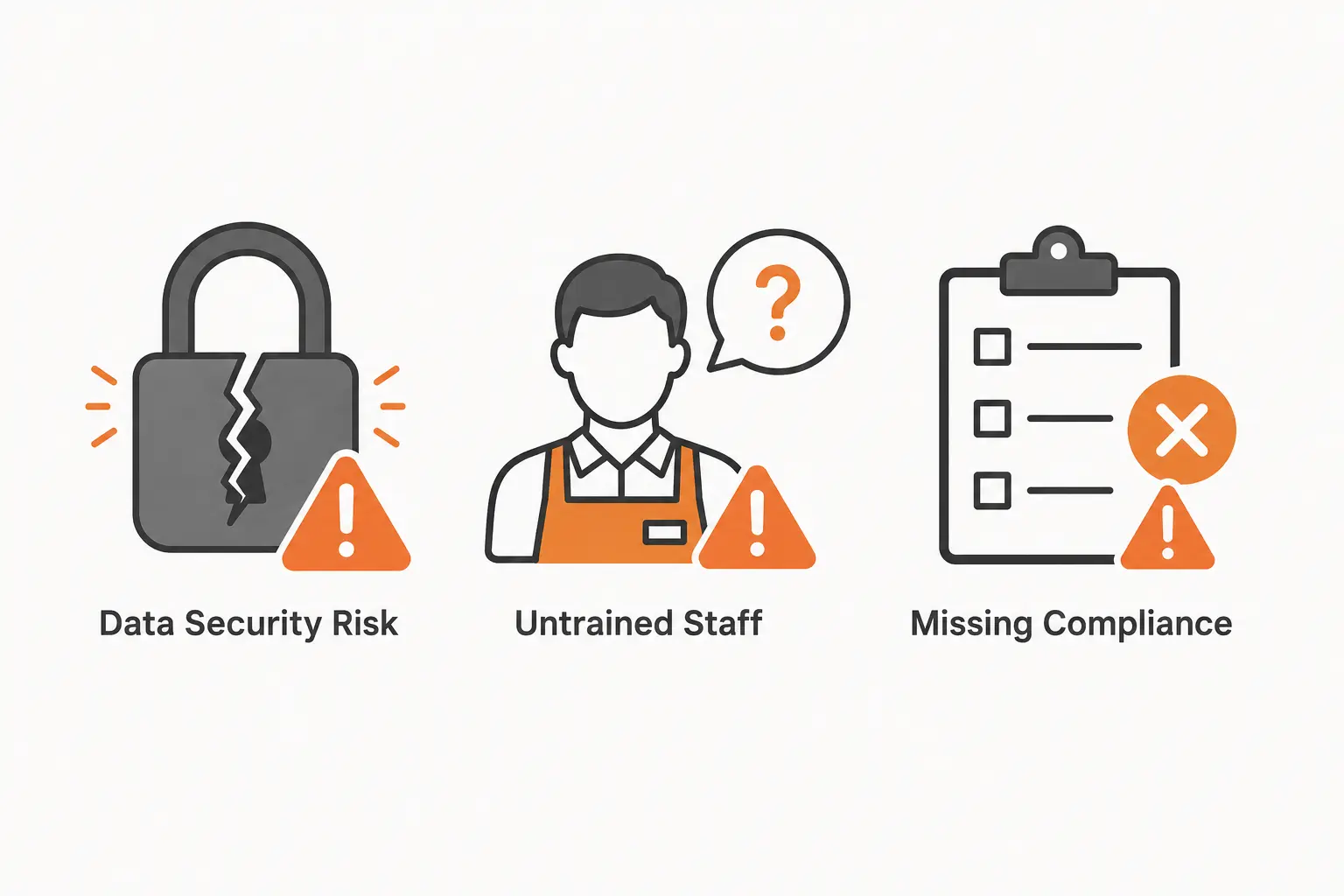
Paper logs are easy to lose, nearly impossible to search, and offer no real privacy. Anyone standing at the desk can read the names and details of everyone who signed in before them. If the register goes missing, there's no backup.
Security risks
Without a proper system, it is difficult to confirm whether a visitor is who they claim to be, which host they are meeting, or whether they have left the building. This creates a genuine office security gap, especially in larger facilities with multiple entry points.
Compliance concerns
Industries like healthcare, finance, and manufacturing often have specific rules around visitor tracking, contractor documentation, and data retention. A paper log makes it much harder to prove compliance during an audit or inspection.
A weak first impression
A long line, a hunt for a working pen, or an illegible signature doesn't say "modern business." Clients and candidates notice these small details more than most companies realize.
Hidden administrative work
Someone still has to manage the register, cross-check entries, manually notify hosts, and store or dispose of old records which adds work rather than removing it.
None of these problems looks dramatic in isolation. Together, though, they explain why reception deserves the same modernization attention as HR, finance, or operations.
What You Gain With Modern Visitor Management
A digital visitor management system addresses many of these gaps directly. Here is what businesses typically gain:
| Manual Front Desk | Digital Visitor Management |
|---|---|
| Handwritten sign-in, slow and error-prone | Check-in in seconds via tablet, QR code, or contactless option |
| No real security screening | Photo capture, ID verification, watchlist screening |
| Paper records, hard to search or store | Searchable digital records with secure storage |
| Staff tied up with manual data entry | Staff free to focus on visitors and other tasks |
| Inconsistent, forgettable first impression | Smooth, professional check-in experience |
| Difficult to prove compliance | Digital timestamps and stored agreements simplify audits |
| Ongoing paper, badge, and storage costs | Reduced paperwork and physical storage needs |
| Hosts notified by phone or in person | Real-time notifications the moment a visitor arrives |
These aren't just convenience upgrades. They directly reduce the small, everyday friction that quietly drains time across a busy office which is exactly what AI workplace productivity is supposed to deliver.
Signs Your Reception Process Needs an Upgrade
Use this quick checklist. If two or more sound familiar, your front desk has likely fallen behind the rest of the business:
- Visitors sign a paper register by hand, often with illegible handwriting or missing details
- Visitor badges are handwritten or printed on the spot with no digital record attached
- Long queues form during busy hours when several visitors arrive at once
- There's no quick way to confirm who is currently inside the building
- Old logbooks have been lost, damaged, or thrown away without proper archiving
- There's no emergency visitor list ready for a fire drill or real emergency
How AI Supports a Smarter Front Desk
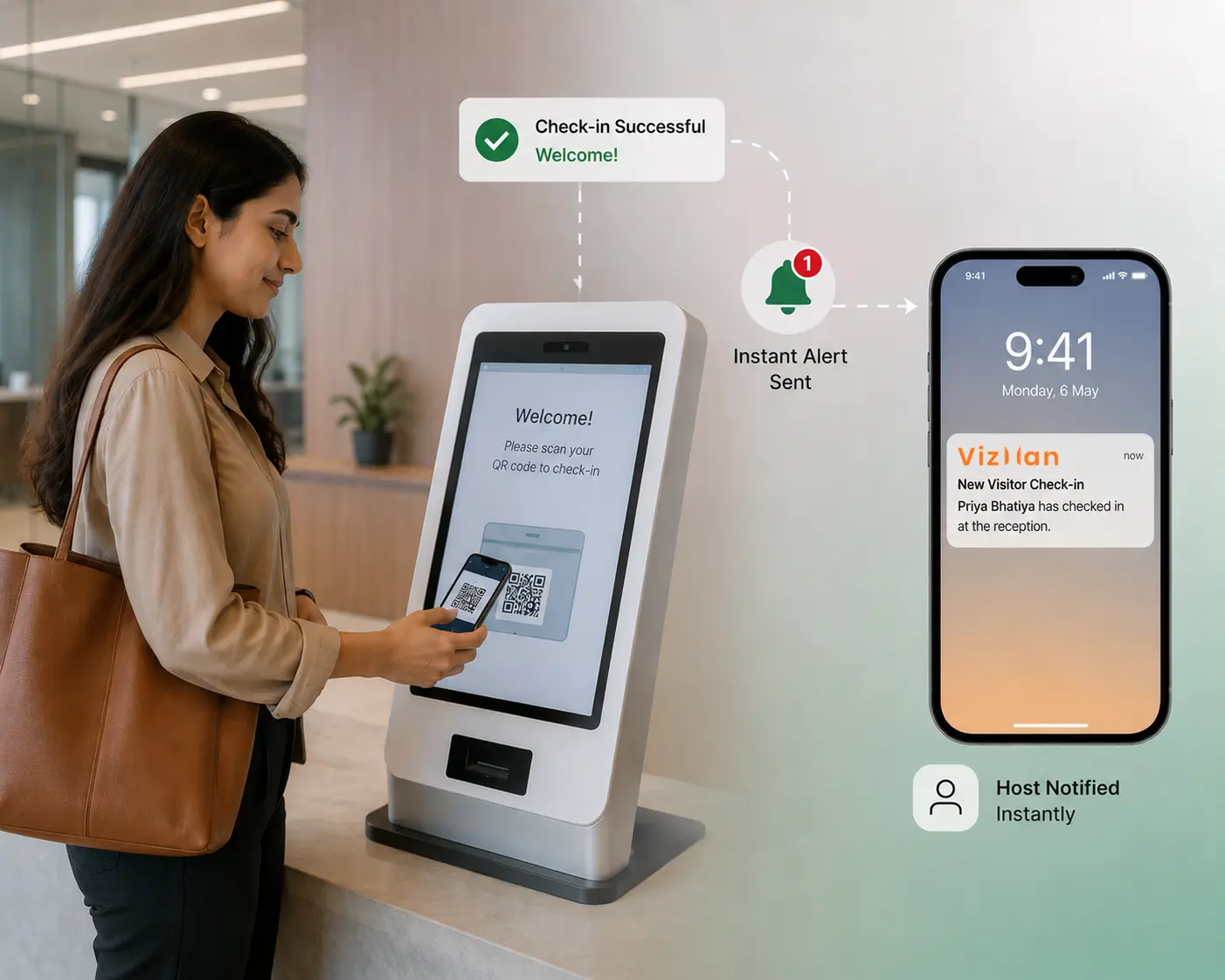
AI's role in the workplace isn't limited to back-office functions. It plays a growing part in how a smart office runs its front-of-house operations too.
Automated check-in
Visitors check themselves in through self-service kiosks or mobile options, cutting wait times and removing manual data entry.
Instant visitor notifications
Hosts get an alert by email, SMS, or app the moment their visitor checks in no more delays or back-and-forth phone calls.
Analytics
Businesses can review visitor traffic patterns, peak hours, and visit frequency, which supports smarter staffing and space-planning decisions.
Pre-registration and scheduling
Hosts can register expected visitors in advance, so the front desk already has arrival details ready before anyone shows up.
Workflow efficiency
Integrations with calendars, access control, and communication tools remove manual steps for both staff and visitors.
Better facility decisions
Data on visit duration and frequent visitor types can inform bigger decisions like meeting room allocation or which entry points need more staffing.
Taken together, these capabilities show that reception isn't separate from the AI workplace productivity conversation. It's simply a part of the business that hasn't received the same attention yet.
Common Myths About Digital Visitor Management
Myth: It's only useful for large corporations.
Fact: Businesses of many sizes deal with visitors, deliveries, and contractors. Digital systems scale to fit different office sizes and visitor volumes.
Myth: It's complicated to set up and use.
Fact: Most modern systems are built for simple, guided use for the administrators setting it up and the visitors checking in.
Myth: It removes the human element from reception.
Fact: It handles the repetitive tasks so front-desk staff can focus on actually helping people instead of managing paperwork.
Myth: Paper logs are safer because they're private.
Fact: Paper logs are visible to anyone walking by and offer no encryption, backup, or controlled access unlike digital records.
Myth: Digital systems are only about check-in speed.
Fact: Speed is one benefit, but security, compliance, analytics, and emergency preparedness matter just as much.
Best Practices for Modernizing Reception
- Start by mapping your current visitor journey, from arrival to sign-out, to spot the biggest friction points.
- Choose a system that supports contactless check-in, since it reduces both wait times and physical contact.
- Make sure the system can generate an accurate, real-time list of everyone on-site for emergency situations.
- Confirm the system meets the data retention and compliance requirements relevant to your industry.
- Pilot the system at one entry point or location before rolling it out company-wide.
Common Mistakes to Avoid
- Treating visitor management as a one-time purchase instead of an ongoing part of workplace security.
- Skipping staff training, which leads to inconsistent use of the new system.
- Ignoring compliance requirements specific to your industry before choosing a platform.
- Assuming a digital system removes the need for a human presence at reception entirely.
Limitations to Keep in Mind
Digital visitor management reduces manual work and improves security, but it isn't a complete substitute for human judgment at the front desk. Staff should still be available to handle exceptions, assist visitors with special needs, and manage situations a kiosk isn't built to handle. Businesses should also verify that any system they adopt meets the specific data protection and compliance rules that apply to their industry and region, since requirements vary.
Key Takeaways
- AI workplace productivity now touches nearly every department HR, finance, marketing, support, and operations.
- Reception is often left out of modernization efforts because it's treated as a facilities task rather than a technology decision.
- Manual, paper-based visitor logs create real risks around security, compliance, and first impressions.
- Digital visitor management directly addresses these gaps with faster check-in, better security, and real-time data.
- Automation only improves productivity when it's paired with good processes not applied blindly.
- If your business has modernized HR, finance, or support but not reception, that gap is worth closing.
Conclusion
AI has already reshaped how HR, finance, operations, and customer service teams work every day faster processes, less manual effort, and better decision-making across the board. Reception, one of the most visible parts of any business, is too often left out of that progress.
A manual visitor log might look like a small detail, but it carries real risk around security, compliance, and workplace efficiency. Modern visitor management closes that gap while supporting the same goals driving AI workplace productivity everywhere else in the business.
Take a moment to look at your own front desk. Is it keeping pace with the rest of your workplace, or is it still stuck in the past? That's a question worth answering honestly and it may be the first step toward a more modern, secure, and efficient workplace.